Hacking Together an Apple Music API
Because Apple didn't want to be nice.
written on Tue. January 6, 2026 • edited on Sat. April 4, 2026Open Source Project
This read references a project of mine that is open sourced on GitHub as `applemusic-api` ↗.
I love Apple as far as their consumer products go. However, the developer experience given to those who don't want to do it their way, not so much. Here's how I got to do it my way in a small day-build instead.
While building this very website, I decided I wanted to once again integrate my live music activity. I had done this previously on my old website (which was built about two years ago) while I still used Spotify, thanks to Phineas's Lanyard project ↗, something only possible because of Spotify's public API to get the details needed. When I decided to switch to Apple Music, I naively assumed they would have a similar API I could make use of. Sadly, this wasn't the case.
See, Apple technically does have an Apple Music API through what they call "MusicKit ↗". But you need to be enrolled in Apple's Developer Program to access it, which costs $99/year. More importantly, it's primarily designed for building music-playing applications that incorporate Apple Music, not for accessing user listening data. You can only get catalog information and an inaccurate list of recently played tracks, not clean realtime listening data.
I started looking into ways others had tried to solve this online. I found that you can get information about the Apple Music player state using AppleScript. It was fairly simple to get the data, with a few commands that would return things like the current track's name, artist, album, and playback state — exactly what I needed. However, AppleScript can only be executed locally on a Mac, meaning I couldn't get it set up on a small API to fetch from, and leaving a server running on my Mac 24/7 is very obviously not ideal.
An AppleScript snippet that outputs JSON data from the player state.
I then realized that AppleScript is basically what powers the Shortcuts app on both macOS and iOS. Shortcuts contains actions to interface with Apple Music, including getting the current playing track and its details. This meant I could build a Shortcut that collects the data I need, then sends it off to a small API I control.
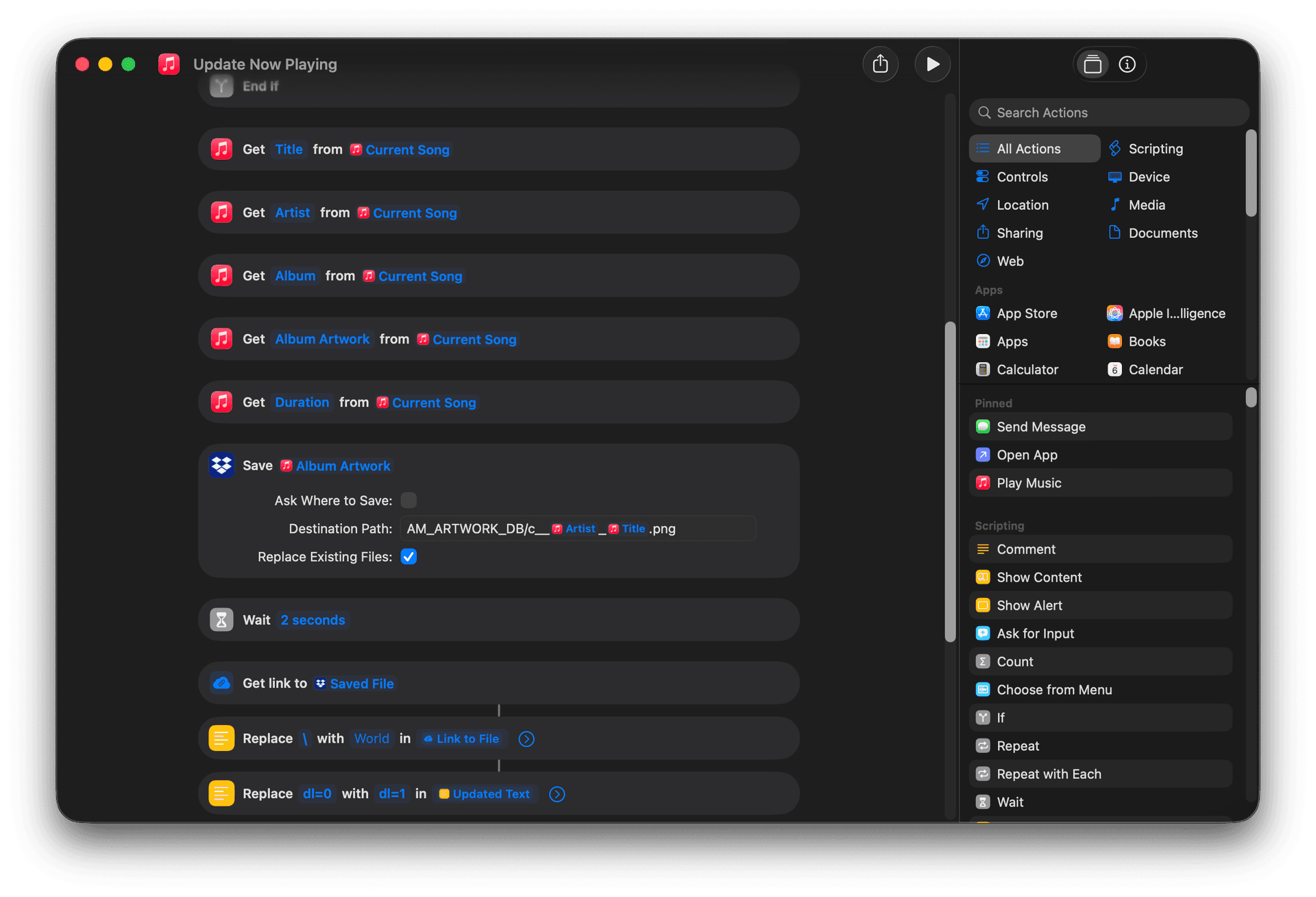
A snippet of the actions in the Shortcut.
The only problem with this was that the Shortcuts action doesn't provide a URL to the album artwork, instead returning the image data itself. This wasn't going to work, since I needed a URL my API could send to my website. Luckily, Shortcuts has the ability to upload files to both iCloud Drive and Dropbox. Since iCloud Drive can't generate public download links, I went with Dropbox. My Shortcut would now get the current track details, save the album artwork directly to a file in a dedicated Dropbox folder, then get a downloadable link to that file, making sure to not create duplicate image files. I set up an Automation to run the Shortcut every time the Music app opens or closes, which is the closest trigger to "when a song starts or stops playing" that Shortcuts currently offers.
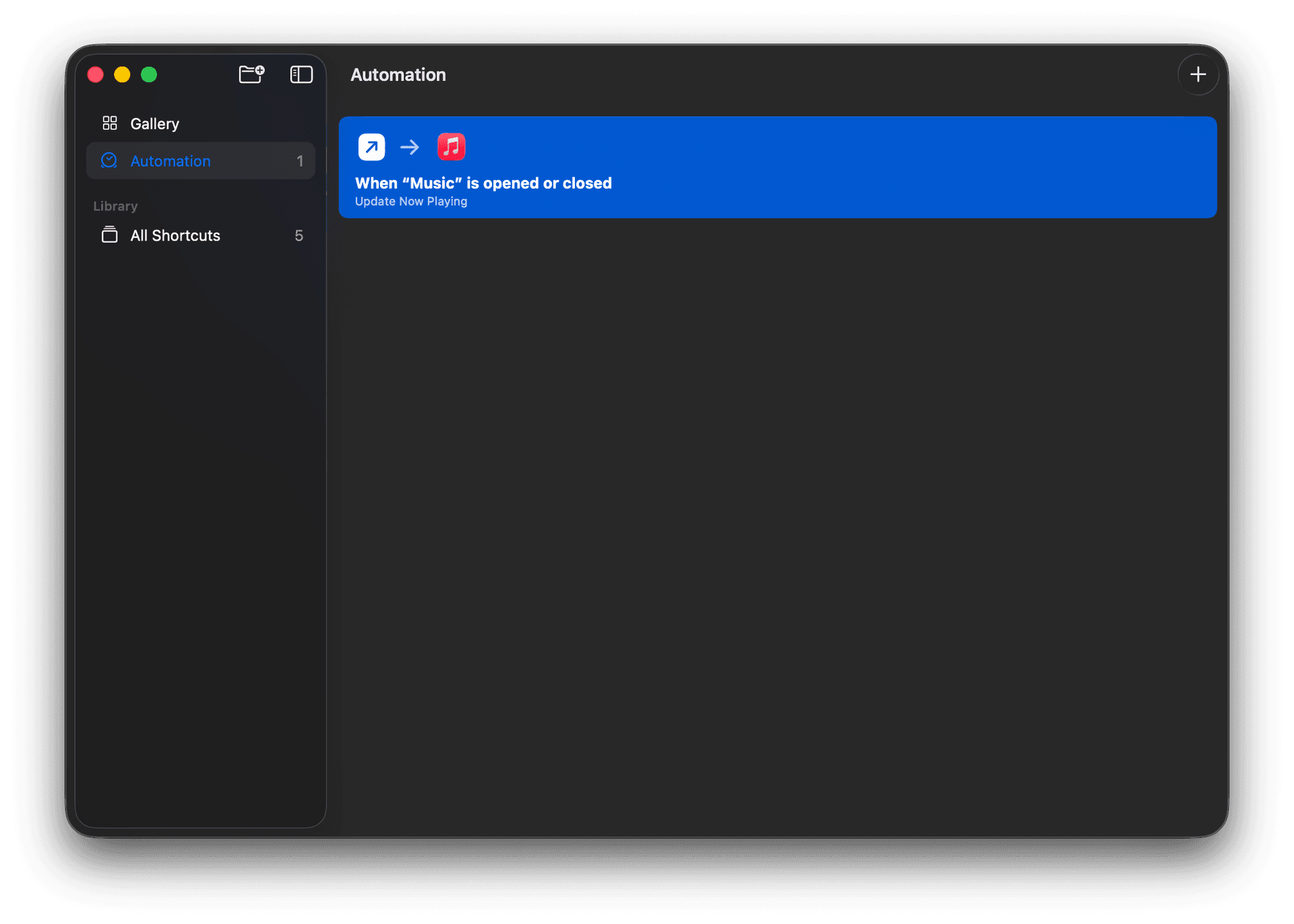
The Shortcut Automation setup.
The output from the Shortcut was now looking something like this:
This was very good! With the Shortcut now complete, I needed a small, lightweight API to receive the data and serve it to my website. I had a Raspberry Pi lying around, so I decided to do it the DIY way.
I installed Deno on the Pi, then had ChatGPT write me a light server in TypeScript that would accept POST requests with the music data from my Shortcut, store it in memory, then serve it on GET requests. If no new data was received after the duration of the last track, it would reset and return that nothing was playing. After a bit of tweaking and setting it up to run as a service on boot, I now had a fully functional Apple Music "API" that I could fetch my live music activity from!
I didn't want to expose the Pi directly to the internet, so I used Cloudflare Tunnel to securely expose the API endpoint. It was my first time, so it took me quite a bit of trial and error to get it to play nice with my domain and the config from the Pi, but eventually it turned out nicely. Some time later, I migrated to Railway for more reliability and easier management.
I hooked up the endpoint to my component, and just like that, I had live Apple Music activity on my site! All in all, it took me about a day to get everything working from start to finish, but it was definitely worth it to have a custom solution that works exactly how I want it to. If you want to set up the API for yourself, I've open sourced it on GitHub ↗!